
See where the working day went.
An optional desktop app shows which apps and sites the day went on, and turns it into a monthly score you can open up and check. Nothing is collected until you switch it on.
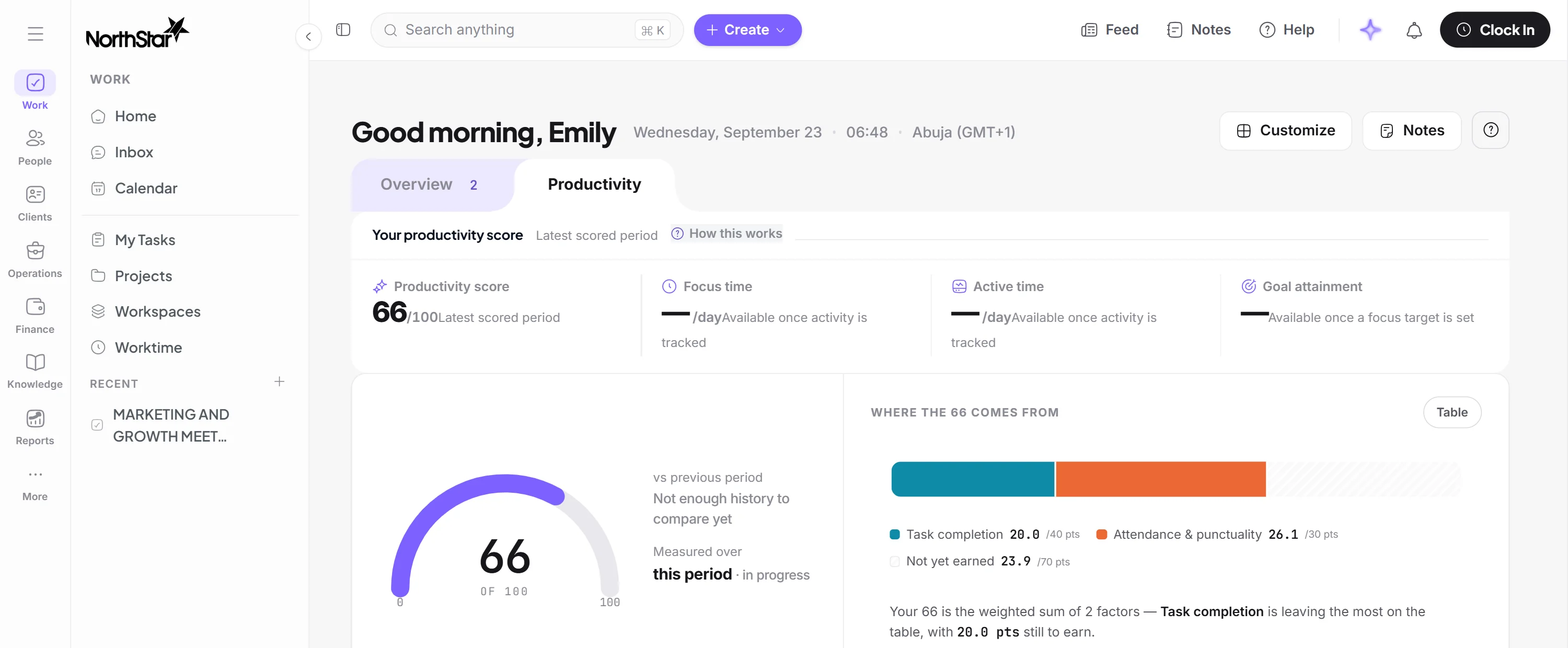
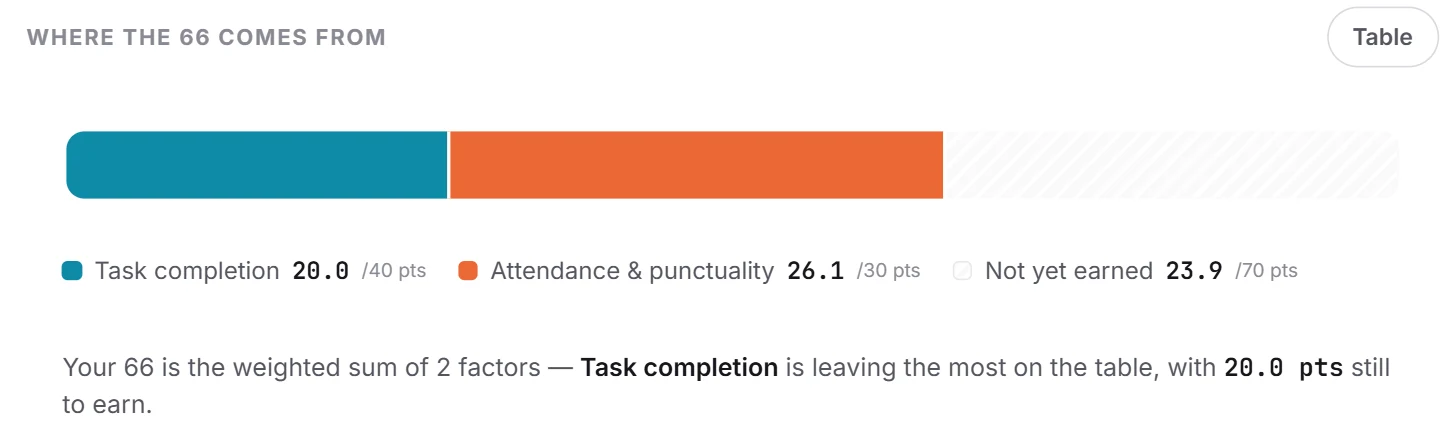
A score built mostly on finished work.
Task completion, attendance, active time, focus, goals and work quality each carry a weight you can change. Every score opens into what it’s made of.
Know which computers are reporting.
The WorkSight app runs on the macOS and Windows machines you choose. Every device is listed, and one that’s offline is shown as offline, not as a day with no work.
Hours you can defend
Attendance says someone was clocked in. Activity says what happened. Both sit on one screen, beside the timesheet.
Measure the work, not the person.
Never collected: keystrokes, passwords, clipboard, microphone, camera, screenshots or screen recordings, and the contents of messages and documents.
Page addresses and window titles stay off unless you turn them on.
Nobody sees anyone else’s score or a ranking, and you decide how much of their own people can see.
Detail is kept for 90 days and summaries for a year, unless you change it.
Nothing here is required. You can run people, time, work and payroll without the app installed.
Understand the work behind the numbers
14-day trial. From 10 active users.